


What is a Classroom Interactive Board, and How Does it Work?
In today’s fast-evolving educational environment, schools and educators are increasingly embracing technology to make learning more engaging. Among these advancements, the classroom interactive board stands out as a revolutionary tool that transforms traditional teaching into an immersive, dynamic experience.
Interactive boards enhance student participation, simplify complex concepts, and facilitate collaborative learning. But what exactly is a classroom interactive board, and how does it function? In this blog, we’ll explore the features, benefits, and working mechanisms of these cutting-edge devices, along with insights on how they are shaping the future of education.
What is a Classroom Interactive Board?
A classroom interactive board—also known as a smart board or interactive whiteboard—is a large digital display that functions similarly to a traditional blackboard or whiteboard but offers much more versatility. It allows teachers and students to interact with content displayed on the screen through touch, stylus pens, or gestures, promoting an interactive learning experience. These boards are typically connected to computers, projectors, or cloud-based systems, giving educators access to multimedia content and online resources.
Classroom interactive boards come equipped with various tools and applications that allow teachers to annotate, highlight, or manipulate digital content in real time, making lessons more engaging. These boards are now integral to smart classrooms, helping both teachers and students collaborate efficiently through interactive activities.
Also Read: Social Media Strategies for Studio Owners: Building an Online Presence
How Does a Classroom Interactive Board Work?
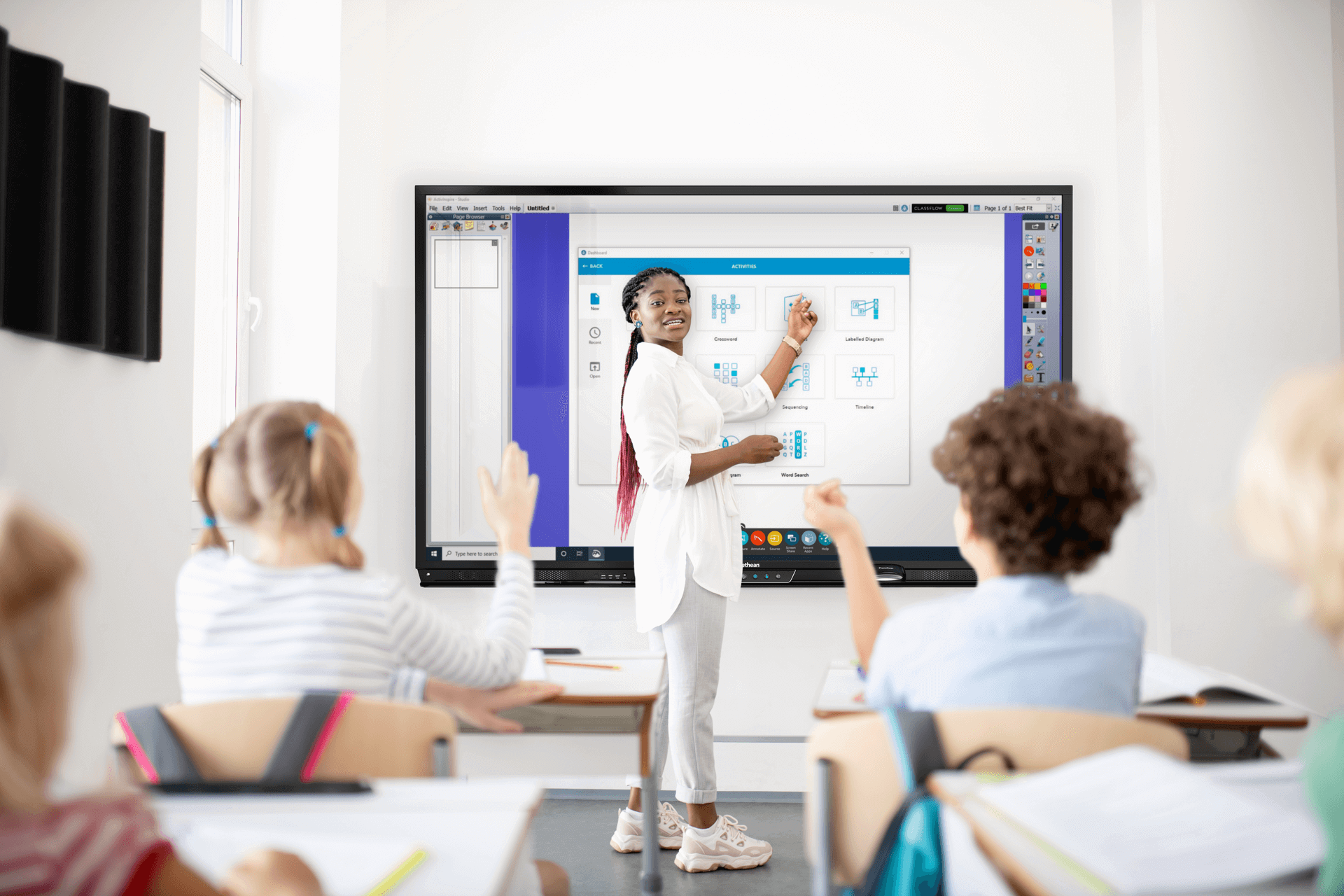
The functionality of a classroom interactive board relies on a combination of hardware and software technologies that enable users to manipulate digital content displayed on the board. Here’s a breakdown of the components and how they work together:
1. Digital Display Screen
At the core of the classroom interactive board is a large LED or LCD screen that serves as the main display. The content—such as lesson plans, diagrams, videos, or online materials—appears on the screen, visible to everyone in the classroom. The display is optimized for readability, even in well-lit environments.
2. Touch Sensor Technology
Most interactive boards use touch sensors—either infrared (IR) or capacitive touch—that detect inputs from a finger, stylus pen, or multi-touch gestures. Some advanced models allow for multi-user interaction, enabling several students to interact with the screen simultaneously.
3. Computer or Cloud Connectivity
The interactive board connects to a computer or laptop via HDMI, USB, or wireless connections. It mirrors the content from the connected device, allowing teachers to control the computer’s functions directly from the board. Alternatively, some classroom interactive boards are equipped with cloud-based software, enabling teachers to access lessons and resources remotely.
4. Software Integration
Classroom interactive boards work with specialized software for presenting and manipulating content. This software often includes tools like annotation features, interactive quizzes, and digital whiteboard modes, which make it easy for teachers to illustrate concepts in real time.
5. Interactive Projectors
In some setups, an interactive projector replaces the screen. This projector not only displays content but also makes the projected surface touch-sensitive. Teachers and students can use their fingers or pens to interact with the projection, turning even walls or traditional whiteboards into interactive surfaces.
Also Read: Building an Online Presence for Your Studio: A Comprehensive Guide
Benefits of Using a Classroom Interactive Board
1. Enhances Student Engagement
Interactive boards provide opportunities for multimedia learning, which keeps students engaged. By incorporating videos, animations, and real-time quizzes into lessons, teachers can capture students' attention and make learning more enjoyable.
2. Encourages Collaborative Learning
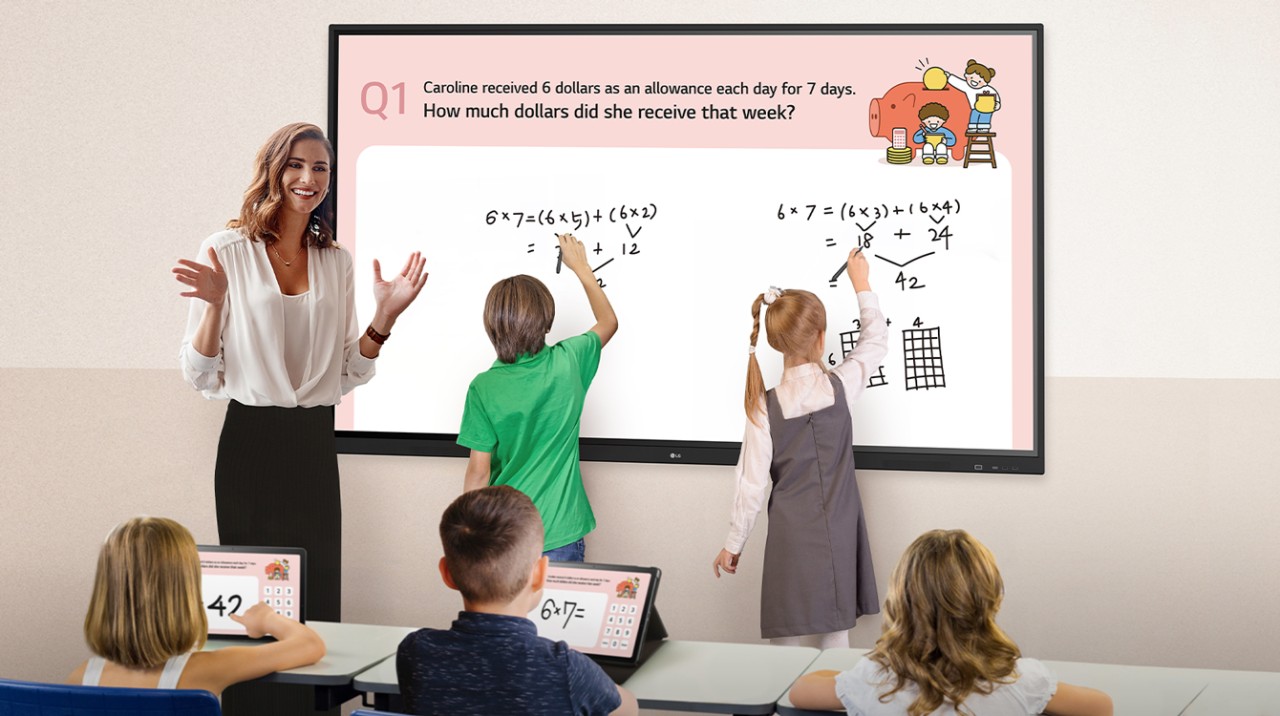
With multi-touch functionality, multiple students can work on the board at the same time, promoting group activities and collaborative problem-solving. This feature makes the classroom more inclusive by encouraging teamwork and participation from all students.
3. Simplifies Complex Concepts
Interactive boards allow teachers to visualize complex topics through videos, diagrams, and real-time demonstrations. For example, science teachers can display 3D models of the human body, helping students understand anatomy more clearly than with textbooks alone.
4. Saves Time with Digital Resources
Gone are the days when teachers had to draw elaborate diagrams on blackboards. With an interactive board, educators can quickly access online resources, import lesson materials, or share notes digitally, saving valuable class time.
5. Supports Remote and Hybrid Learning
Some interactive boards come equipped with cloud-based software that allows teachers to record lessons or share screens in real-time with students attending remotely. This capability ensures continuity in education, even in hybrid or distance-learning scenarios.
Also Read: Tools for Engaging Online Classes: Enhancing the Virtual Learning Experience
Applications of Classroom Interactive Boards in Different Subjects
1. Mathematics
Interactive boards enable teachers to demonstrate problem-solving steps visually. With virtual rulers, protractors, and graphing tools, students can grasp complex concepts like geometry and algebra more effectively.
2. Science
In science classes, teachers can use animations and 3D models to explain phenomena such as photosynthesis, chemical reactions, or planetary motion. Interactive simulations allow students to conduct virtual experiments without the need for physical lab setups.
3. Language Arts
Teachers can use interactive boards for reading exercises, story analysis, and grammar lessons. Features like text highlighting and annotation tools help students engage with the content actively.
4. History and Geography
Interactive maps and timelines allow students to explore historical events and geographical locations more interactively. This hands-on approach makes subjects like history more interesting and relatable.

How to Set Up a Classroom Interactive Board
Setting up a classroom interactive board is straightforward. Here’s a simple step-by-step guide:
- Mount the board or projector: Secure the interactive board on a wall or connect the projector to a stable surface.
- Connect the computer or laptop: Use HDMI, USB, or wireless options to connect your computer to the board.
- Install necessary software: Install the interactive board’s software and drivers on the connected device.
- Calibrate the touch sensors: Most boards require calibration to ensure touch accuracy. Follow the on-screen instructions for calibration.
- Test functionality: Open a few files and interact with the board to confirm that all components work smoothly.
Classroom Interactive Board vs. Traditional Whiteboard
| Feature | Classroom Interactive Board | Traditional Whiteboard |
|---|---|---|
| Interactivity | Supports multi-touch and gestures | No interactivity |
| Content Flexibility | Can display multimedia content | Limited to handwritten notes |
| Remote Learning Support | Supports hybrid and remote learning | No remote learning capabilities |
| Collaboration | Multiple students can interact simultaneously | Only one person can write at a time |
| Access to Online Resources | Connected to the internet and cloud systems | No internet access |
Challenges of Using Classroom Interactive Boards
While classroom interactive boards offer many advantages, there are a few challenges:
- High Initial Cost: These boards require a significant investment, which may be a barrier for some schools.
- Training Requirements: Teachers need proper training to utilize all the features effectively.
- Maintenance and Updates: Like all tech tools, interactive boards require regular updates and occasional maintenance.
Conclusion
A classroom interactive board is more than just a teaching aid—it’s a powerful tool that brings education to life through dynamic, multimedia lessons. With its ability to engage students, support collaborative learning, and simplify complex topics, the classroom interactive board is transforming education for the better. As schools increasingly adopt smart classroom technologies, these interactive boards are becoming an essential part of the modern learning environment.
FAQs
What is a classroom interactive board?
A classroom interactive board is a digital teaching tool that combines a display screen with touch functionality, enabling teachers and students to interact with content directly on the board.
How does a classroom interactive board work?
It works by connecting to a computer or cloud system, displaying content on the screen, and allowing users to interact with the content using touch or stylus inputs.
What are the benefits of using a classroom interactive board?
The key benefits include enhanced student engagement, collaborative learning, the ability to visualize complex concepts, and access to online resources.
Can interactive boards support remote learning?
Yes, many interactive boards come with cloud-based tools that allow teachers to conduct lessons remotely and share content in real-time.
Is training required to use a classroom interactive board?
Yes, teachers need to familiarize themselves with the software and features of the board to make the most of its capabilities.
Prev post

Best Digital Board for Classroom: Transforming Education with Benchmark Digital Board
Updated on 30 October 2024
Next post

How Do Educational Digital Boards Support Remote or Hybrid Learning?
Updated on 28 October 2024


