


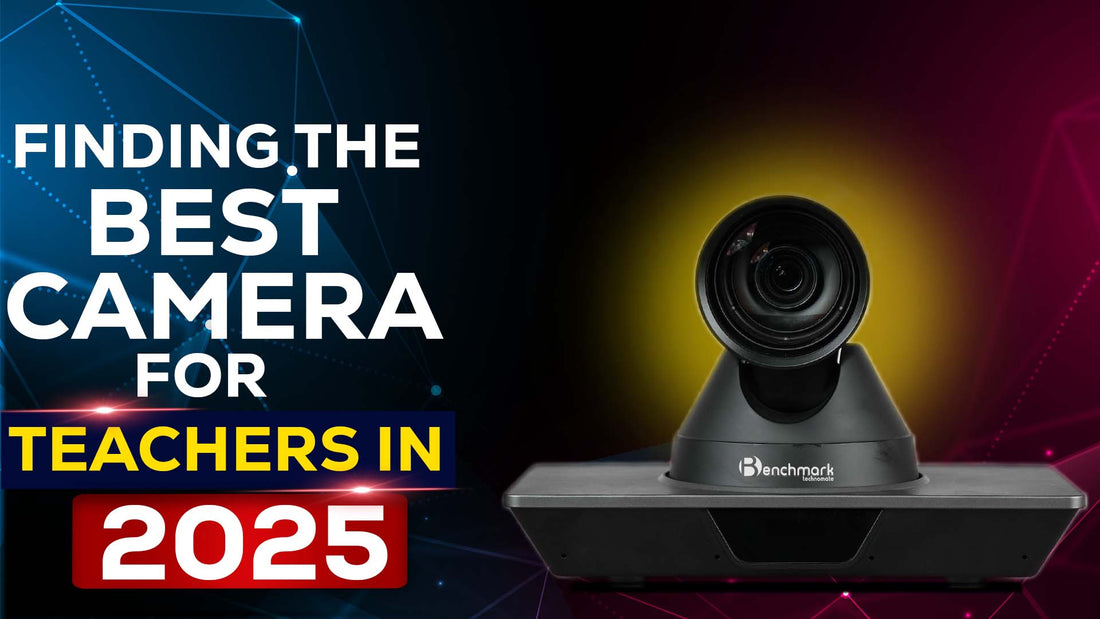
Finding the Best Camera for Teachers in 2025
The rise of online learning has transformed the teaching landscape, making a reliable camera for teachers an essential tool for effective virtual education. From video quality to ease of use, the right camera can make a significant difference in how educators connect with students. In this article, we will explore the best camera options available for teachers, with a special focus on the highly-rated Benchmark PTZ camera.
Why a High-Quality Camera is Essential for Teachers
In the era of digital classrooms, having a clear and stable video feed is critical. A good camera for teachers not only enhances the visual experience but also helps in maintaining students’ engagement during lessons. With features like autofocus, high resolution, and wide-angle lenses, teachers can deliver lessons seamlessly without worrying about technical issues.
Key Features to Look for in a Camera for Teachers
When choosing a camera for online teaching, there are several important features to consider:
- Resolution: A camera with at least 1080p resolution ensures clear and crisp video quality.
- Autofocus: Helps maintain sharpness even if the teacher moves during the lesson.
- Wide-Angle Lens: Ideal for capturing more of the classroom or demonstration area.
- Built-in Microphone: Reduces the need for an external audio device.
- Low Light Performance: Ensures clear video even in dimly lit rooms.
Also Read: 8 Reasons to Use a Digital Writing Board for Interactive Learning

Benchmark PTZ Camera: The Best Camera for Teachers
The Benchmark PTZ camera stands out as the best camera for teachers looking to enhance their virtual teaching experience. It offers a versatile solution that combines high-quality video, ease of use, and advanced features tailored for educators.
Why Choose Benchmark PTZ Camera?
The Benchmark PTZ camera provides:
- Professional-Grade Video Quality: With 1080p Full HD resolution, the camera captures every detail, making it easier for students to follow along.
- Pan, Tilt, and Zoom (PTZ) Capabilities: Teachers can easily adjust the camera view without physically moving it, allowing for dynamic presentations.
- User-Friendly Controls: The intuitive interface and remote control make it easy for teachers to adjust settings mid-lesson.
- Great Low-Light Performance: Perfect for classrooms with varying lighting conditions.
Top Recommendations for Camera for Teachers in 2024
Here are some of the top-rated cameras for teachers currently available:
1. Logitech C920 HD Pro
The Logitech C920 HD Pro is a favorite among educators due to its affordability and superior video quality. With Full HD 1080p resolution and a wide field of view, it’s perfect for online classes.
2. Benchmark PTZ Camera
As mentioned, the Benchmark PTZ camera is a standout choice for teachers seeking professional quality. Its PTZ capabilities and seamless integration with various software platforms make it the top pick for serious educators.
3. Microsoft LifeCam HD-3000
This camera offers 720p HD resolution and a built-in noise-canceling microphone. It’s a great budget option for teachers who want reliable video and audio without breaking the bank.
4. Elgato Facecam
For teachers who need crystal-clear video, the Elgato Facecam delivers uncompressed 1080p at 60fps. It’s an excellent choice for tech-savvy educators who prioritize image quality.
5. Canon EOS M50
The Canon EOS M50 is a mirrorless camera that provides stunning video quality and can be used for both pre-recorded lectures and live teaching sessions. It’s more expensive but offers advanced features like interchangeable lenses.
6. Razer Kiyo
This webcam is unique due to its built-in ring light, which provides excellent illumination. It’s a fantastic option for teachers who often teach in low-light environments.
7. GoPro HERO 9
The GoPro HERO 9 is a versatile camera for teachers who conduct lessons in various settings. It’s rugged, portable, and offers excellent video stabilization.
Also Read: 7 Reasons Why a Digital Board for Online Teaching is a Game-Changer

How to Set Up a Camera for Online Teaching
Setting up your camera correctly can make a huge difference in the quality of your online lessons. Here’s a step-by-step guide:
- Position the Camera at Eye Level: This helps create a more natural and engaging connection with students.
- Use Adequate Lighting: Proper lighting enhances video quality. Consider using a ring light or a desk lamp if your room is dimly lit.
- Test the Audio: Even with a built-in microphone, it’s essential to check the audio levels and clarity before starting the lesson.
- Optimize the Background: Choose a clutter-free background to minimize distractions for your students.
Enhancing Virtual Lessons with a Camera for Teachers
A high-quality camera not only improves the video quality but also enhances the overall learning experience. Teachers can:
- Use Visual Aids: With a good camera, it’s easier to show detailed visuals and examples.
- Engage More Actively: The PTZ capabilities of cameras like the Benchmark PTZ allow teachers to move around while maintaining a steady video feed.
- Record Lessons: High-quality cameras enable teachers to record their lessons for later review or asynchronous learning.
FAQs
What is the best camera for online teaching?
The Benchmark PTZ camera is one of the best options due to its versatile features and professional-grade video quality.
Can I use a DSLR camera for teaching?
Yes, DSLR cameras like the Canon EOS M50 offer excellent video quality but may require additional setup and software.
What is the ideal resolution for a camera used in teaching?
A resolution of at least 1080p is recommended for clear and professional-looking video.
Do I need an external microphone with my camera?
While many cameras have built-in microphones, using an external microphone can enhance audio quality, especially in noisy environments.
What features should I look for in a camera for teachers?
Look for features like autofocus, wide-angle lens, good low-light performance, and compatibility with teaching software.
Is the Benchmark PTZ camera easy to use for non-tech-savvy teachers?
Yes, the Benchmark PTZ camera is designed with user-friendly controls and an intuitive interface, making it easy for teachers of all experience levels.
Also Read: Key Features to Consider When Buying a Classroom Digital Board

Conclusion
Investing in a quality camera for teachers can greatly enhance the online teaching experience, making lessons more engaging and professional. Among the options, the Benchmark PTZ camera stands out as the best choice, offering superior video quality, PTZ capabilities, and ease of use. Whether you’re a seasoned educator or new to virtual teaching, upgrading your camera setup is a step toward creating better, more interactive learning experiences.
Prev post
Ultimate Guide to Choosing the Best 4K PTZ Camera in 2025 | Discover Benchmark PTZ Camera
Updated on 25 November 2024
Next post

Ultimate Guide to Interactive Flat Panel Display Price in 2025
Updated on 23 November 2024


