


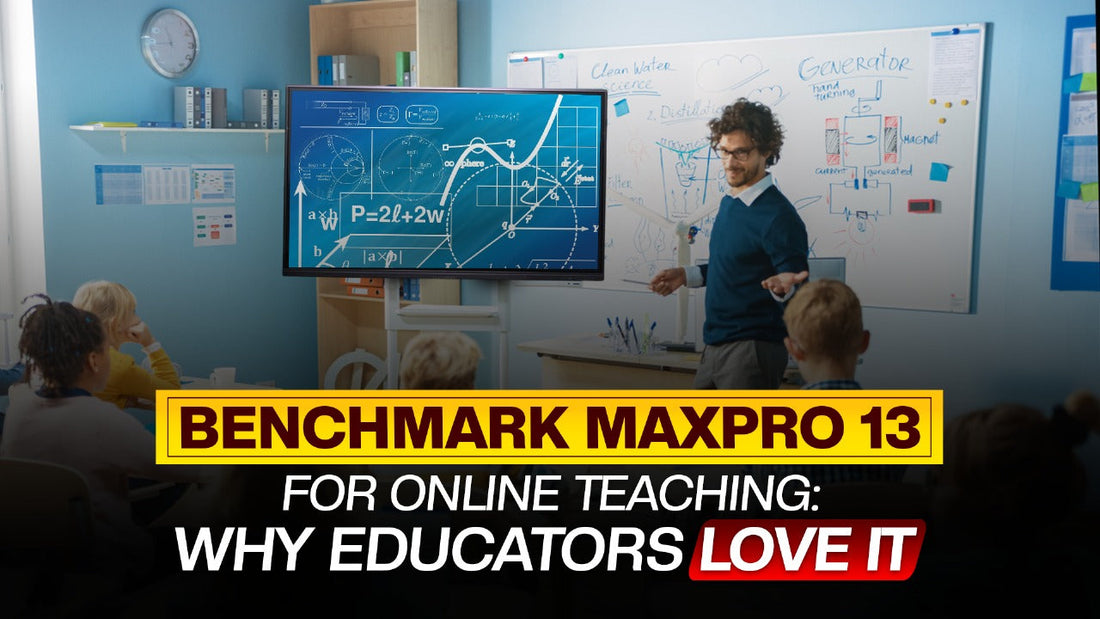
Benchmark Maxpro 13 for Online Teaching: Why Educators Love It
The Benchmark Maxpro 13 is rapidly gaining popularity among educators for its seamless integration into online teaching environments. With advanced features such as a 4K Ultra HD display, Android 13 OS, capacitive touch technology, and impressive connectivity options, the Benchmark Maxpro 13 provides an immersive and interactive experience that enhances both teaching and learning.
But what exactly makes the Benchmark Maxpro 13 the top choice for online teaching? Let’s dive into the features and benefits that have won over educators worldwide.
1. Stunning 4K Ultra HD Display for Crisp Visuals
The Benchmark Maxpro 13 comes equipped with a 4K Ultra HD (3840 x 2160 pixels) display that delivers breathtaking clarity and detail. For online teaching, where every diagram, text, and video needs to be crystal-clear, this display offers an unmatched visual experience.
Whether you’re explaining complex mathematical concepts or showcasing detailed graphics, the Benchmark Maxpro 13 ensures your students never miss a detail.
Also Read: Best Digital Board for Classroom: Transforming Education with Benchmark Digital Board
2. Powerful Performance with Android 13 & Octa-Core Processor
Running on the latest Android 13 operating system with an Octa-Core processor, the Benchmark Maxpro 13 offers blazing-fast performance and compatibility with a wide range of educational apps.
Its 8GB RAM and 128GB SSD storage ensure smooth multitasking, allowing educators to use interactive tools, presentations, and video conferencing apps simultaneously without any lag.
3. Capacitive Touch Technology for Seamless Interaction
One of the standout features of the Benchmark Maxpro 13 is its capacitive touch technology. This advanced touch system provides precise and responsive touch capabilities, making it perfect for drawing, annotating, and writing during live classes.
Whether you’re using whiteboard tools, highlighting key points, or engaging students through interactive exercises, the touch response is smooth and accurate.
Also Read: What is a Classroom Interactive Board, and How Does it Work?
4. Anti-Glare Tafan Glass & Eye Comfort Mode
Teaching online for extended periods can be stressful for the eyes. Fortunately, the Benchmark Maxpro 13 addresses this issue with its Anti-Glare Tafan Glass and Eye Comfort Mode.
These features reduce strain on the eyes, making it a comfortable option for teachers who spend hours delivering lectures or conducting webinars. Plus, the anti-scratch display ensures durability and longevity.
5. Built-In Audio System for Enhanced Learning Experience
Audio quality is essential for effective online teaching. The Benchmark Maxpro 13 features 2 x 10W built-in speakers that provide immersive sound quality, ensuring your students can hear you clearly even in larger online classrooms.
This built-in audio system is especially helpful for language teachers, music instructors, and anyone who needs crystal-clear audio during their sessions.
Also Read: How Do Educational Digital Boards Support Remote or Hybrid Learning?
6. Versatile Connectivity Options
Connectivity is a major consideration for online teaching, and the Benchmark Maxpro 13 excels in this area. It offers a variety of connectivity options, including:
-
HDMI Ports for seamless connection to external devices
-
USB Ports for quick file transfers and device compatibility
-
Bluetooth 5.0 for wireless peripherals
-
Wi-Fi for easy internet access
This range of connectivity options allows educators to integrate various teaching tools and devices, enhancing the overall learning experience.
7. Power Saving Mode & Energy Efficiency
The Benchmark Maxpro 13 is designed with a Power Saving Mode, ensuring efficient energy consumption. This feature not only helps reduce power bills but also extends the lifespan of the device, making it a cost-effective solution for educational institutions.
8. Handy Tools & User-Friendly Interface
Educators appreciate how easy it is to navigate and customize the Benchmark Maxpro 13. With its user-friendly interface and accessible tools, setting up and managing online classes becomes a breeze.
Whether you’re using interactive whiteboard features, annotating documents, or streaming lessons, the Benchmark Maxpro 13 makes the entire process smooth and intuitive.
9. Multiple Display Sizes for Different Needs
The Benchmark Maxpro 13 is available in various sizes, including 65, 75, 86, and 98 inches. This versatility ensures you can choose the ideal size for your teaching environment, whether it's a small tutoring session or a large online seminar.
10. India’s Best Seller Digital Board for a Reason
The Benchmark Maxpro 13 has quickly become India’s best-selling digital board for online teaching. Its robust features, high-quality display, and ease of use make it a preferred choice among educators across the country.
From smart classrooms to individual teaching setups, the Benchmark Maxpro 13 offers a seamless solution that enhances productivity and engagement.
Why Educators Love Benchmark Maxpro 13
Educators appreciate the Benchmark Maxpro 13 for its:
-
High-resolution 4K display ensuring excellent visual quality.
-
Responsive capacitive touch technology for seamless interaction.
-
Advanced Android 13 OS providing compatibility with modern apps.
-
Versatile connectivity options for integrating various tools.
-
Energy-efficient design with power-saving mode.
Whether you are conducting a live class, recording lectures, or hosting a webinar, the Benchmark Maxpro 13 offers the reliability and quality you need.
FAQs
Why is Benchmark Maxpro 13 considered the best digital board for online teaching?
Its 4K Ultra HD display, capacitive touch technology, Android 13 OS, and robust connectivity options make it perfect for seamless teaching experiences.
Can I use Benchmark Maxpro 13 for remote teaching?
Yes, the device is designed to support remote teaching, including video conferencing, annotation, and file sharing.
What sizes are available for Benchmark Maxpro 13?
It comes in 65, 75, 86, and 98 inches, suitable for various teaching environments.
Is Benchmark Maxpro 13 compatible with third-party teaching apps?
Absolutely! The Android 13 OS supports a wide range of educational apps.
How does the Eye Comfort Mode work?
The Eye Comfort Mode reduces strain by adjusting brightness and contrast, making it ideal for long teaching sessions.
Conclusion
The Benchmark Maxpro 13 is more than just a digital board—it's a complete teaching solution. Its high-resolution display, responsive touch technology, and versatile connectivity options make it the ultimate choice for online teaching.
Ready to elevate your teaching experience? Choose the Benchmark Maxpro 13 and enjoy the most effective digital classroom setup available.
Prev post

Sartaz Ahmad – Sartaz Classes | YouTube Success Story and Studio Setup
Updated on 27 April 2025
Next post

Top 10 Reasons to Choose Benchmark Sigma AI-A7 for Corporate Meetings
Updated on 23 April 2025
You Also Like


